Testimony Workshop
The How to Give A Testimony Workshop was developed by Drea Garcia to help people feel more confident about giving their testimony, both in one-on-one conversations with others, and in front of a group. The Workshop begins with discussion about the importance of sharing our stories. When we share our story we help others come into contact with their own story, while at the same time opening up to the larger story of Jesus Christ, that we can enter into and live out. The reason we share is because our hope is in Jesus.
The life of Saint Paul and his testimony is presented in four parts: his life before he knew Christ Jesus; how he came to know Jesus; his life in Jesus; his challenge and invitation to the audience. Attendees are directed to write about the “acts” of their lives: Act 1: My life before I knew Christ. Act 2: How I came to know Jesus Christ. Act 3. My life in Jesus Christ. Act 4. An invitation to others. The ABC’s for giving a testimony are: Audible, Brief, Christ-centered.
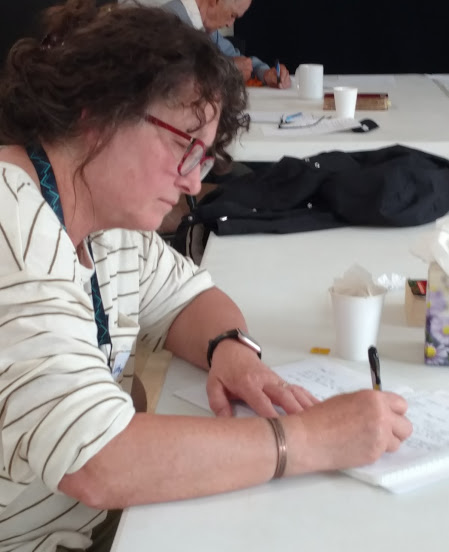
The group is given about 20 minutes to write their testimonies. Normally there is a lunch break afterwards and then, after lunch, they share their testimonies and receive helpful feedback from the group. The openness and depth of the stories that are shared is amazing.
Those who have attended the workshop in the past express thanks for the support and encouragement to write their testimonies. An example of the fruits of this workshop are demonstrated by Kim Marvin, who attended the workshop in January 2020. She wrote her testimony and presented it at St. Bridget parish in winter 2020. Her video recording, Peace in the Storm, can be viewed below.