
“The Lord your God is with you, the warrior-Savior.
He will take great delight in you.
He will quiet you with his love
He will sing for joy because of you.”
Zephaniah 3:17

* Women’s Retreat Update *

RETREAT CANCELLED

Letters went out by mail at the beginning of April with more information about refunds and donations. We will continue to respond to requests as they come in.

If you have not responded about a refund or giving a donation, please do so before April 30th. After that, any unclaimed refunds will be kept as donations.

Although our deposits to the retreat center were returned to us, WWCCR still has expenses from the cancelled retreat. Please consider making a donation to WWCCR to help us at this time. Simply click on the DONATE button at the top of the page. Thank you!

Save the date! The 2027 Women’s Retreat will be March 12-14.

We wish to thank the St. Joseph Foundation of the Archdiocese of Seattle for their generous grant to WWCCR to help people grow their prayer life with the help of the Holy Spirit.

Registrations are now closed. Email info@wwccr.org to be put on the waiting list.
Journey Together Facebook Group

Journey Together After the Women’s Retreat

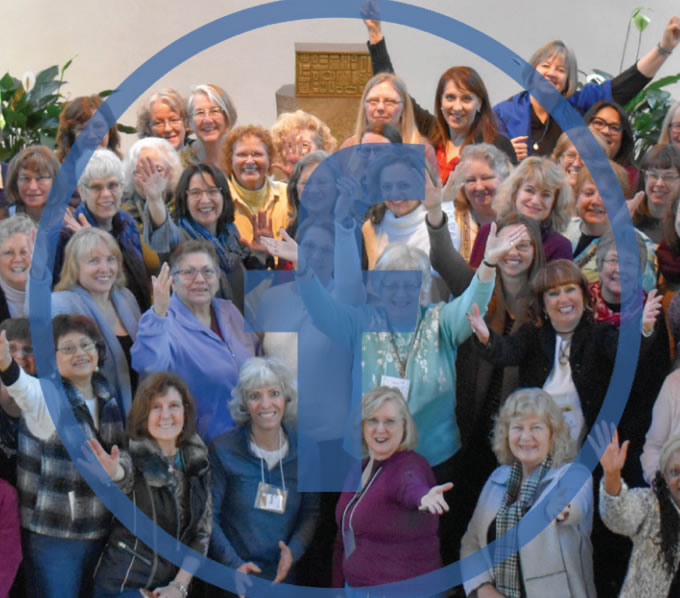
For those who have attended our Women’s Retreat in the past, we have an exciting new encounter for you! We’ve opened a private Facebook group to reunite with each other, share how we’ve experienced God, how we’ve been transformed by those encounters, and what he’s continuing to do in our lives! If you’re interested in journeying together with your fellow retreatants, join us!
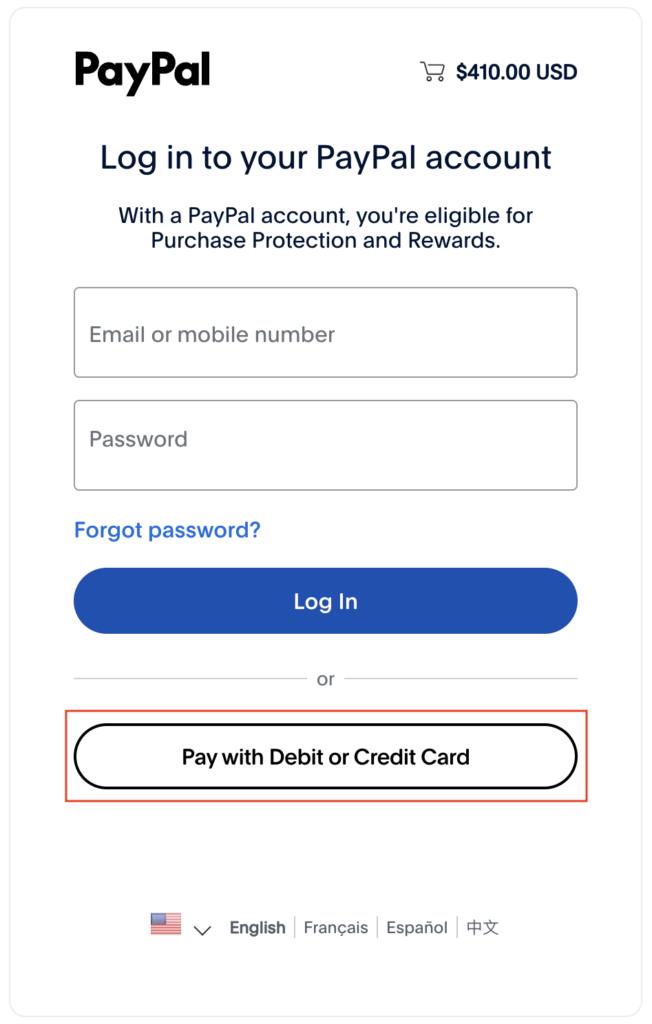
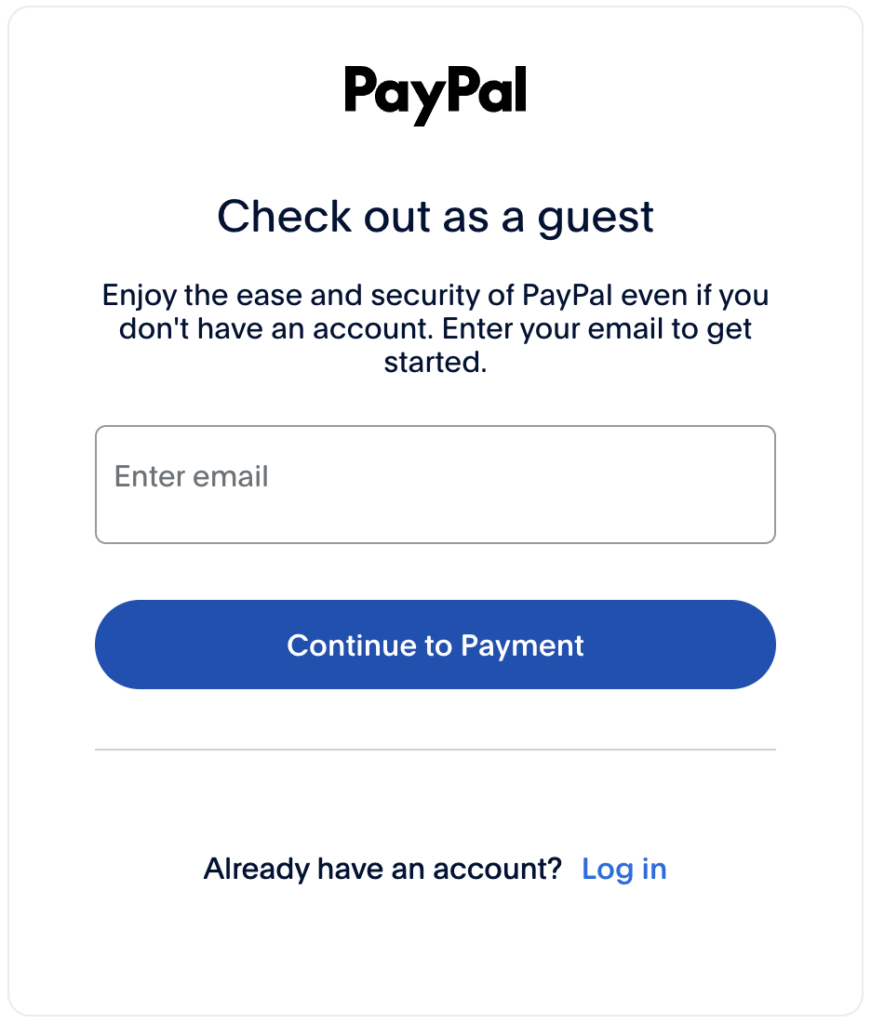
Guest Checkout with PayPal

WWCCR uses PayPal as a payment processor. A PayPal account is not required to send a payment through PayPal. You can check out as a guest using PayPal by following these steps. You can contact us through our online form for assistance.

1. When you submit the form, you will be taken to a PayPal payment page. On this page, click the “Pay with Debit or Credit Card” button.

2. If what follows is a page prompting you to check out as a guest, enter your email address. This email will receive a PayPal receipt of your payment. If this is not the page you see, move onto the next step.

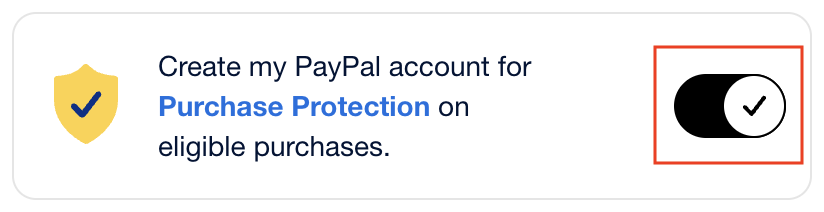
3. On the final page, enter your payment details and billing address. Lastly, be sure to uncheck the option to create a PayPal account.

4. Click the “Pay now as guest” button to complete the payment.